



Live chat software that turns website visits into real conversations
Helptal Live Chat is a website chat widget with built-in AI. Visitors can ask a question without sending an email. AI handles the easy ones in seconds. Your team picks up the rest — with the visitor's name, what page they're on, and what they've asked before already on screen.

100+ Languages auto-translated

Visitors see who's online before they type

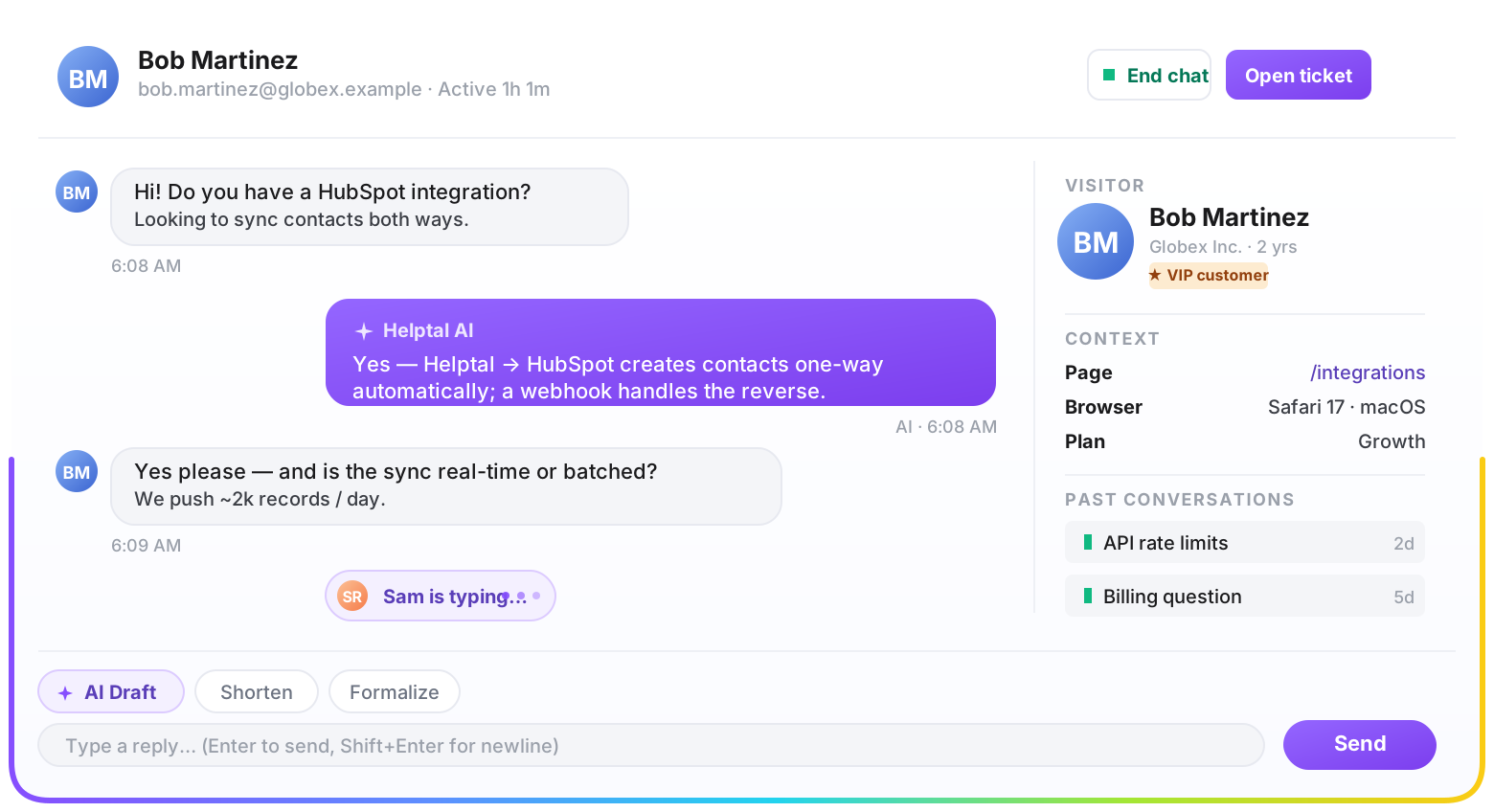
Every chat lives next to that customer's emails
Three things change the day you turn chat on
Chat catches the visitors who would never bother sending an email. Your team handles them in the same screen they already use for email, so nothing falls through the cracks.
-
You catch the visitors who'd never email
Most people won't take 5 minutes to write an email — but they'll type a quick chat. You get a chance to help them.
-
Your team replies faster, with the full picture
Agents see what page the visitor is on and what they asked before — so they don't have to start every chat with "what are you looking at?"
-
Your email inbox quiets down
Customers ask quick questions in chat and only email about the bigger stuff. Your team gets time back.





Everything live chat should do, nothing it shouldn't
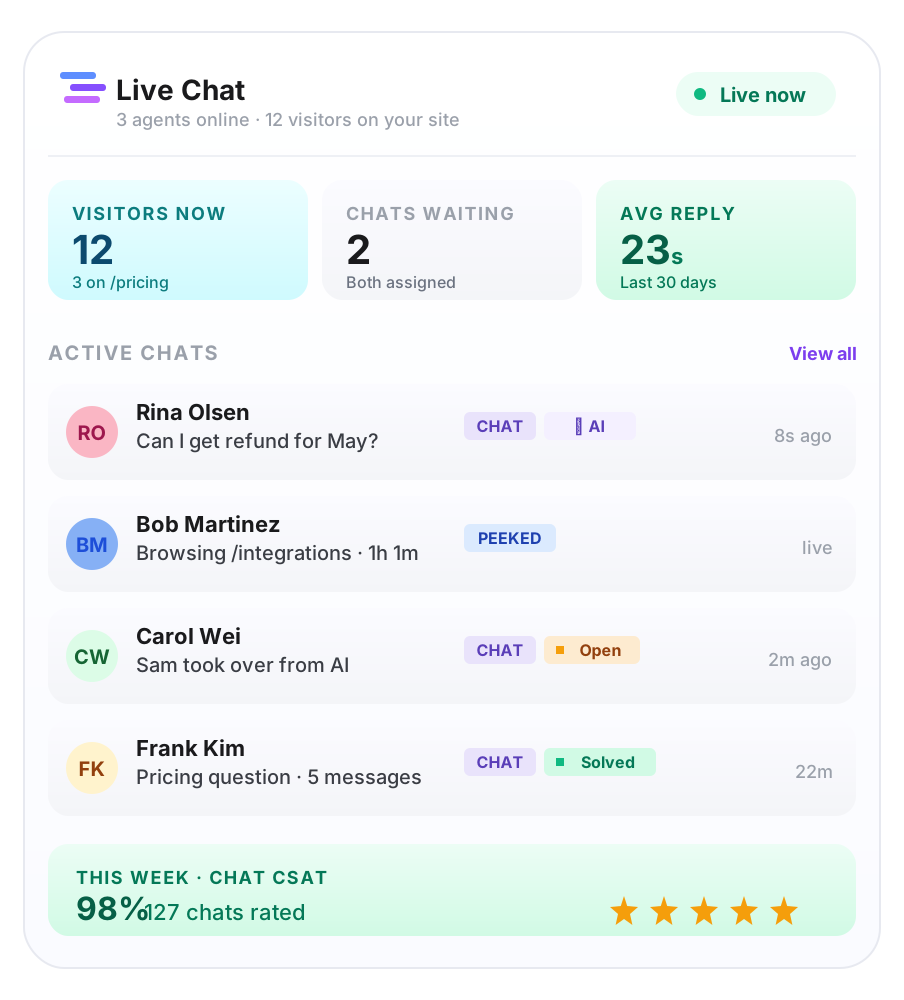
Real conversations with the people on your website, handled in the same place your team already works. No second tool to learn, no second bill to pay, no info getting lost between systems.
Install once, customise everything
Your developer copies one line of code onto your website. You set the welcome message, the colours, what info to ask for upfront — no support ticket to your design team needed.
Agents see the whole picture
When a visitor starts chatting, your team already sees what page they're on, what they bought, and every previous conversation. No more "can you remind me what you ordered?".
Same screen as your emails
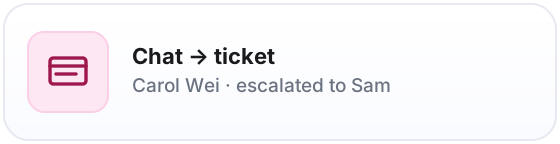
Chats sit next to that customer's emails in one shared list. If a chat needs follow-up later, it turns into an email thread with the whole transcript attached.
Reply 3× faster with /shortcuts
Pre-write your most common answers once. Type /refund or /shipping in the composer and the full reply expands inline — same library across chat and email replies.
Visitors find answers themselves
Show a search box and your top help articles right inside the chat widget, before the message thread starts. Teams that turn this on typically deflect 20-40% of conversations.
Set your hours, respect them
Pick a weekly schedule and holiday overrides. Outside hours, the widget switches to leave-a-message mode automatically — even if an agent has the portal open in the background.
AI handles the obvious questions
The AI answers from your own help articles in your own tone of voice. When it doesn't know the answer — or the visitor asks for a human — it hands over to your team straight away.
Conversations don't reset themselves
If the visitor refreshes the page, switches tabs or loses their wi-fi for a minute, the chat picks up exactly where they left off. No restart, no lost messages.
The details visitors notice (even if they never say so)
Looks like your website, not ours
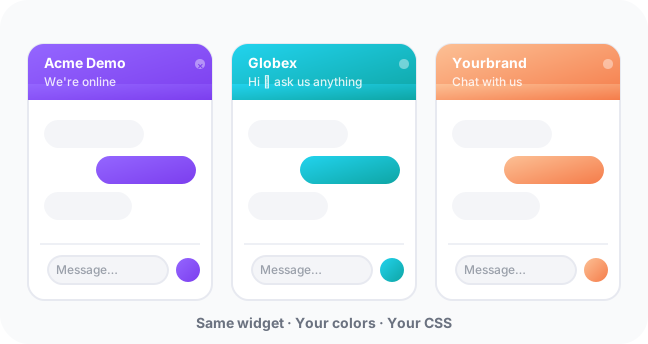
Your colours, your logo, your welcome message — even your own raw CSS if you want it. Visitors never see the words "Powered by Helptal".
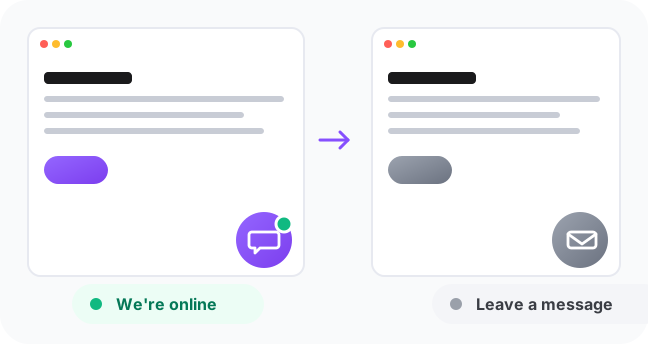
Shows visitors who's actually online
When your team is online, the chat bubble says so. When everyone's out, it switches to "leave a message" — so visitors aren't left waiting on no one.
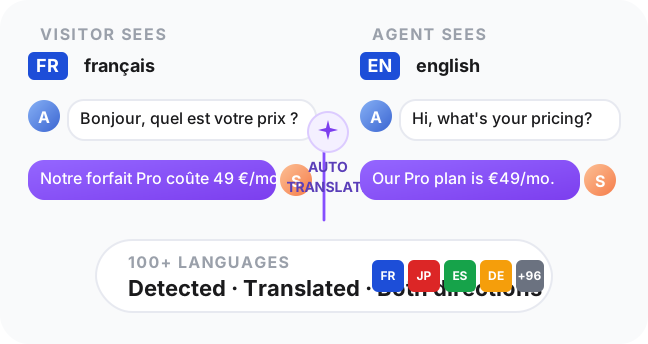
Works in 100+ languages
A visitor types in French, your agent reads it in English, your reply ships back in French. Automatic translation in both directions, on every message.
An AI that knows your product, and hands over gracefully when it doesn't
The AI answers from your own help articles. When it's out of its depth, or the visitor asks for a person, it passes the chat to your team — with a suggested reply already typed in. Your team edits and sends in seconds.
Answers from your own help articles
The AI quotes your existing help centre. You can also feed it internal notes (refund policies, internal pricing) that only the bot sees, never the public.
Speaks in your tone of voice
Give the AI a name, a personality and a few rules of engagement — like you'd brief a new hire. Friendly, formal, or anything in between.
Looks things up for the customer
Connect Helptal to your own system and the AI can fetch a real order status, check delivery dates, or trigger a password reset right inside the chat.
Commonly asked questions
Things people ask us before they sign up for chat. If you have a question we don't cover here, send it through — a real person replies, not a bot.
No. They can just click the chat bubble and start typing — no email, no account, no waiting. You can ask for their name and email upfront if you want, but it's optional.
The chat doesn't get lost. It shows up in the same shared list as your customer emails, with the full conversation attached. When the visitor comes back — or your team replies — it picks up where it left off.
Yes. If the AI doesn't know the answer or the visitor asks for a human, it hands the chat to your team straight away. Your agent sees the whole conversation, plus a suggested reply already drafted in the message box.
Yes. Turn one switch on and the chat bubble appears on your help articles, your customer portal and your booking pages — anywhere your customers might be looking for help.
Live chat is included on the Growth plan ($39 per agent per month) and above. The Starter plan covers email and a help centre. The Business plan adds the AI chat bot, the AI assistant for your team, and automatic translation between 100+ languages.
The full list, for anyone digging into the details
Everything that comes with the live chat product on Growth and Business plans. (AI bot needs Business.)
The chat widget
- ·One line of code to install, on any website
- ·Your colours, your logo, your welcome message
- ·Custom CSS for deep restyling (dark theme starter included)
- ·No "Powered by Helptal" badge
- ·Choose what info to ask for before the chat starts
- ·Works on your help centre, customer portal and booking pages
The visitor experience
- ·No sign-up needed — visitors can chat instantly
- ·Sees who's online before they type
- ·Switches to "leave a message" when nobody is in
- ·Survives page reloads, tab switches and dropped wi-fi
- ·100+ languages translated automatically
- ·Conversations resume next time they visit
For your team
- ·See every visitor on your site right now, not just the ones who started a chat
- ·Tag visitors with anything from your own system — plan, MRR, account ID
- ·Visitor name, current page and past conversations on screen
- ·Notifications in Slack, Teams or by email
- ·Same shared list as your customer emails
- ·Saved replies for the questions you get all the time
- ·Internal notes only your team can see
- ·Transfer a chat to another agent or team
The AI chat bot
- ·Answers from your own help articles, in your tone
- ·Looks things up in your system (orders, accounts, status)
- ·Hands over to a human when it doesn't know
- ·Detects when visitors are frustrated, escalates faster
- ·You set how chatty or formal it should be
- ·Audit log of every conversation it handled
Live chat up and running this afternoon
Drop one line of code on your site, set your colours, start talking to visitors. Free tier covers 50 chat conversations a month — upgrade to Starter ($19/agent) for unlimited chats, or to Growth for proactive triggers and the AI bot. No credit card to start.
No credit card required
Free forever — upgrade any time